

Budget without handing over your bank login.
Stewardit is a fast front end for a budget spreadsheet that lives in your own Google Drive. No banking credentials, no proprietary database, no catch. Just a simple way to log transactions and watch your own sheet do the rest.
No bank access requested. Ever. Your data stays in a spreadsheet you own, even if you cancel.
Three steps, then it runs itself
No account to create. No onboarding maze. Just sign in and start logging.
Sign in with Google Drive
Stewardit makes a budget template on your own Drive in the folder you specify. That sheet is the whole database, there's no separate Stewardit account.
Log income and expenses
Add a transaction in seconds from your phone and it's written to the Google spreadsheet. View your history and edit your categories whenever you want.
Let the sheet carry itself forward
Each month, a fresh sheet is generated automatically, and any recurring transactions roll over on their own.
The middle ground between bank-linking apps and a bare spreadsheet
You get the control of your own sheet, and the speed of a real app.
Your data, permanently
Everything lives in a Google Sheet in your own Drive. Cancel anytime and the sheet, and every transaction in it, stays yours.
Just a front end for your sheet
The app installs the template, uploads new transactions, and lets you browse history or edit categories. The spreadsheet does the rest.
Budget as a household
Anyone signed into the same Google Drive sees the same live budget. Great for couples and families managing money together.
One subscription per Google/Apple IDHonest, simple pricing
$1.99 a month or $19.99 a year, about two months free. No ads, no trackers, and no data ever sold.
No banking details, ever
Stewardit never asks for a bank login or card number. It's a logging tool for a spreadsheet, not a financial aggregator.
Recurring transactions roll over
Flag a transaction as recurring once. Every new month it carries forward on its own, no re-entering rent or a paycheck.
What using it actually feels like
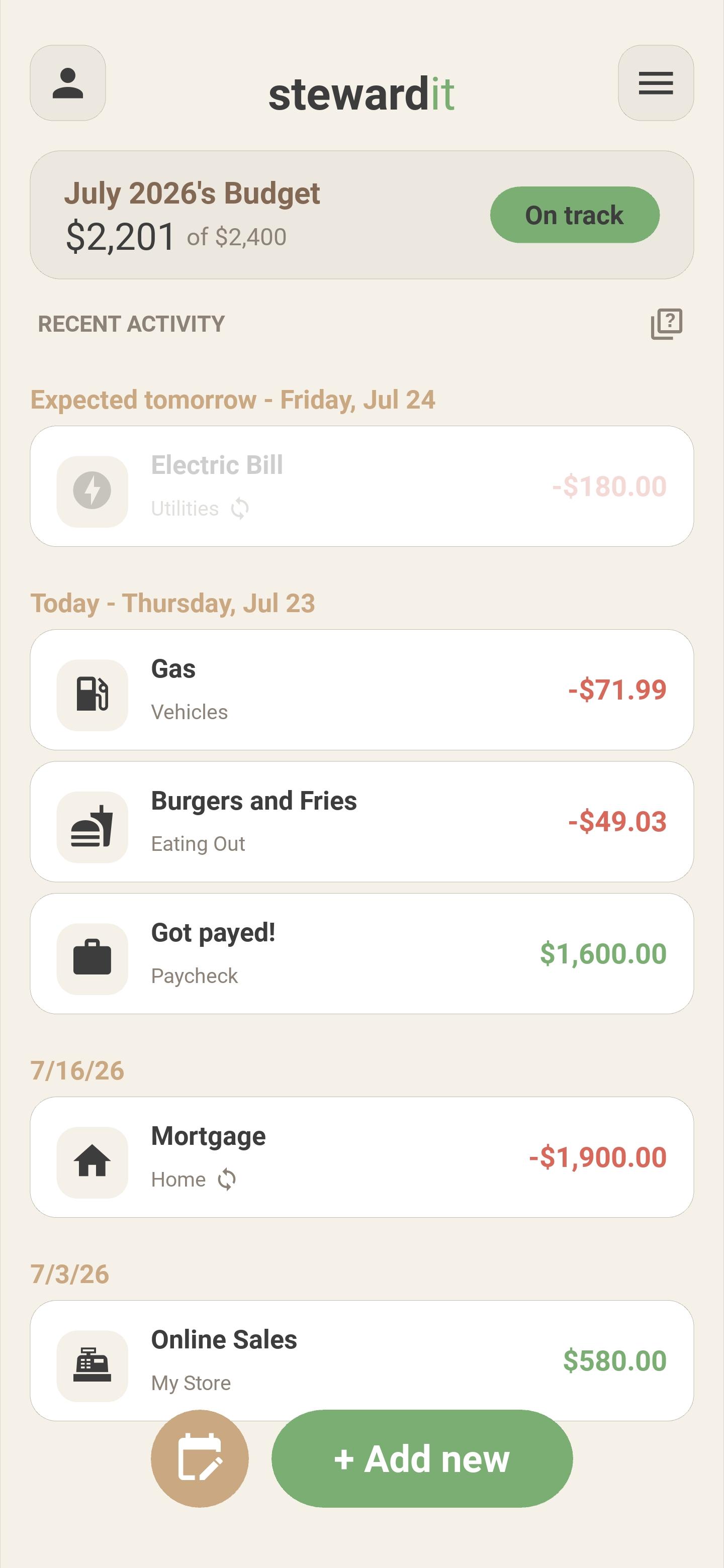
Recent transactions and a running summary at a glance.
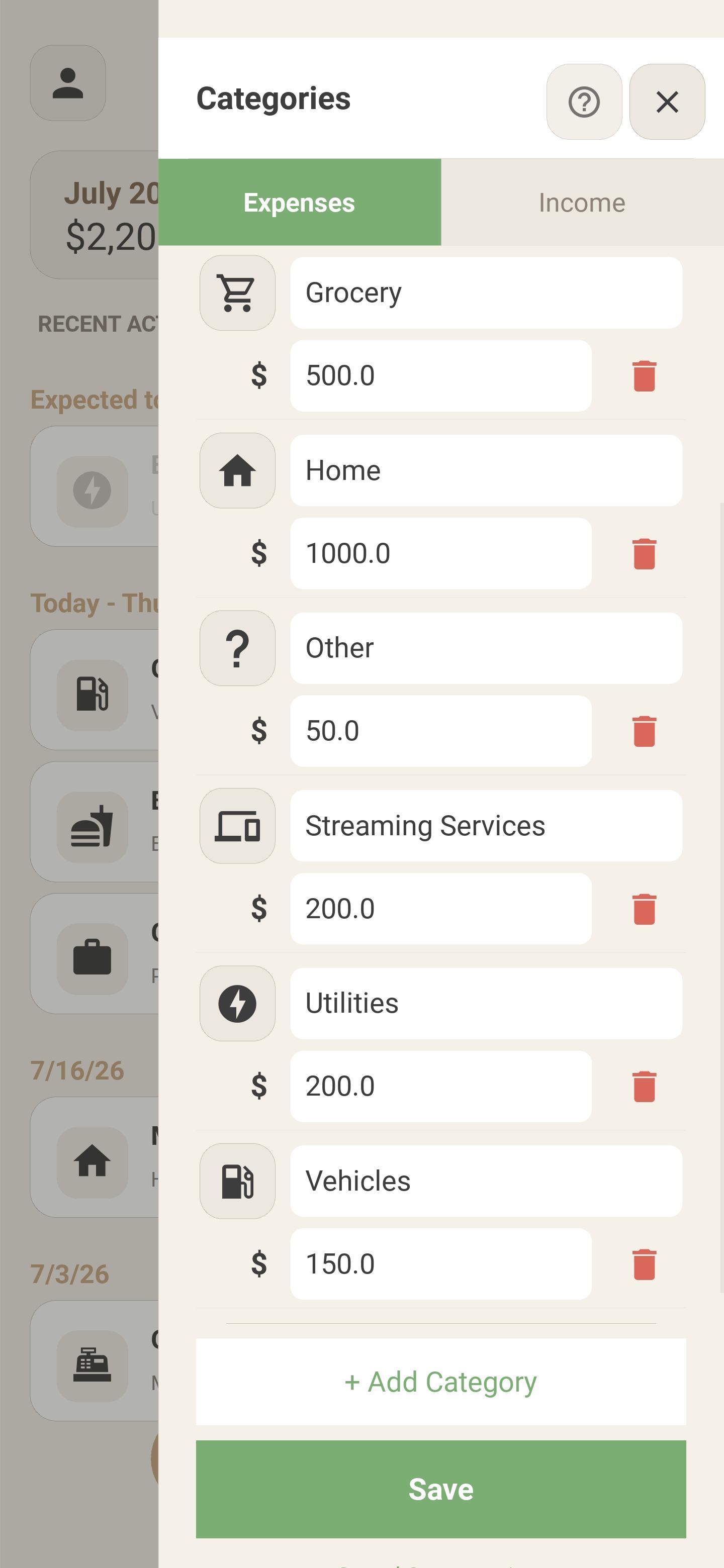
Edit spending and income categories in a couple taps.
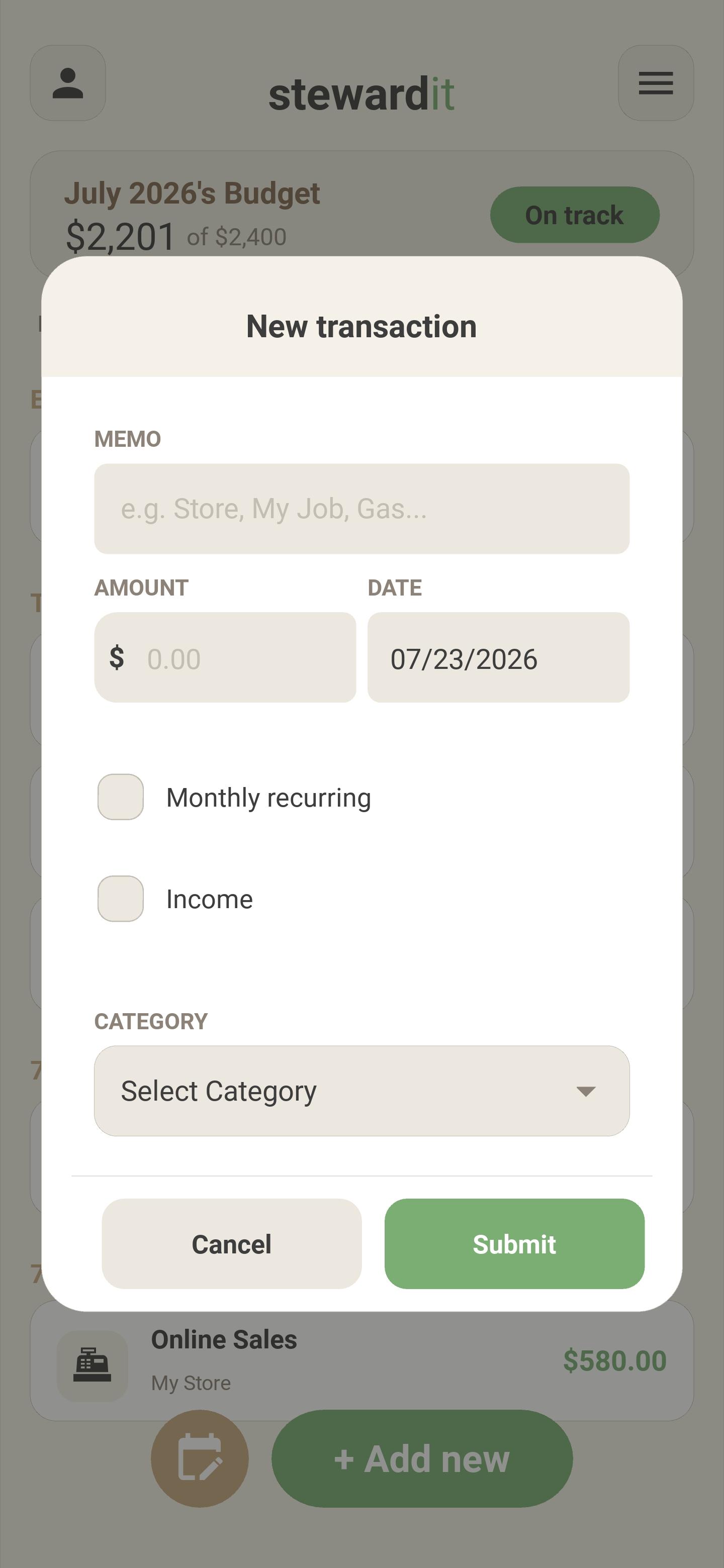
Add income or expenses in seconds.

One spreadsheet, everyone on the same page
Because Stewardit is built on your own Google Drive account rather than a Stewardit account, anyone signed into that same Drive opens the identical budget, in real time. No exporting, no comparing notes at the end of the month.
drive.file scope. There's no file picker in the app because it never needs one.
Simple, transparent, no ads
A 14-day free trial comes with the monthly plan for first-time users. Your subscription goes straight toward bug fixes, new features, and the server costs behind the scenes. No ads, no trackers, ever.
A few things worth clearing up
Do I need to create a Stewardit account?
No. There's no separate account to make or delete. Your Apple ID or Google account, plus the Google Drive you sign into, is all Stewardit needs.
If my household shares a budget, do we all need to pay?
You subscribe through an Apple ID or Google Play account. That subscription is active across all devices that use that account. Each user needs to individually subscribe OR use an Apple ID/Google Play account that has already subscribed. Within the app, all users may use the same Google drive sign in, and all see/work on the same spreadsheets.
How do I know it really is private?
Stewardit has no backend server (except to securely log you into your GDrive).
Both App Store and Play Store attest to Stewardit's near-zero data collection. You can see this on the app's download page.
Review our Privacy Policy for the details.
Can Stewardit see the rest of my Google Drive?
No. It only has access to the files it creates for you, thanks to Google's restricted 'drive.file' permission. There's no way to browse or open anything else in your Drive from inside the app.
What happens to my data if I cancel?
Nothing. The spreadsheet stays in your Drive exactly as it was. Personal settings and the Google Spreadsheet's data displayed in the app are removed upon uninstall. You don't lose access to the data you've already entered within your own spreadsheets.
Can I edit the auto-generated spreadsheets in my Google Drive?
Yes, and no. You can safely edit any of the red shaded cells. You can safely edit, delete, or add rows in the 'Transactions' tab, provided the format remains the same. The sheet is full of hidden formulas, so avoid: copy and paste, manual entry, editing things not red shaded on the 'Summary' tab.

A small passion project, built by one person
Stewardit is made by Polygon Labs, a small business. I got tired of choosing between apps that wanted my bank credentials and a spreadsheet I never opened enough to actually use. So I built the thing in between.
Every subscription goes directly toward keeping the app maintained, fixing bugs, and building the features people actually ask for. It's a small business, not a startup chasing a buyout, so if you're looking for something worth rooting for, this is it.
Thanks for giving it a look.
Ready to stop dreading your budget?
Sign in with the Google account you already have, and start budgeting in under a minute.